![Logo Black.png]](https://help.opensend.com/hs-fs/hubfs/Logo%20Black.png?height=33&name=Logo%20Black.png)
Steps to Add or Update Billing Emails
-
Go to the Billing Settings
Log in to your Opensend account and navigate to the Billing Settings page under the Account tab. -
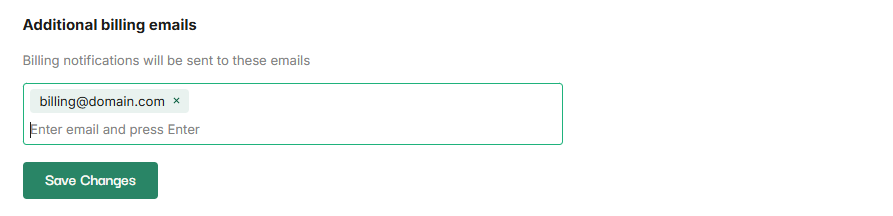
Locate the Additional Billing Emails Section
Scroll down to find the Additional billing emails section. This is where you can manage all secondary email addresses that should receive billing notifications. -
Add New Billing Emails
Enter the email address you want to add and press Enter. You can repeat this process to add multiple email addresses. -
Save Your Changes
Once you have added all desired email addresses, click Save Changes to ensure your updates are applied.
Your billing notifications will now be sent to the email addresses you added.