![Logo Black.png]](https://help.opensend.com/hs-fs/hubfs/Logo%20Black.png?height=33&name=Logo%20Black.png)
Note: The Reconnect integration must be set up separately from the Connect integration. While both destinations may appear related, they function independently and require distinct configuration steps. Be sure to follow the specific setup instructions for Reconnect to ensure a smooth integration process.
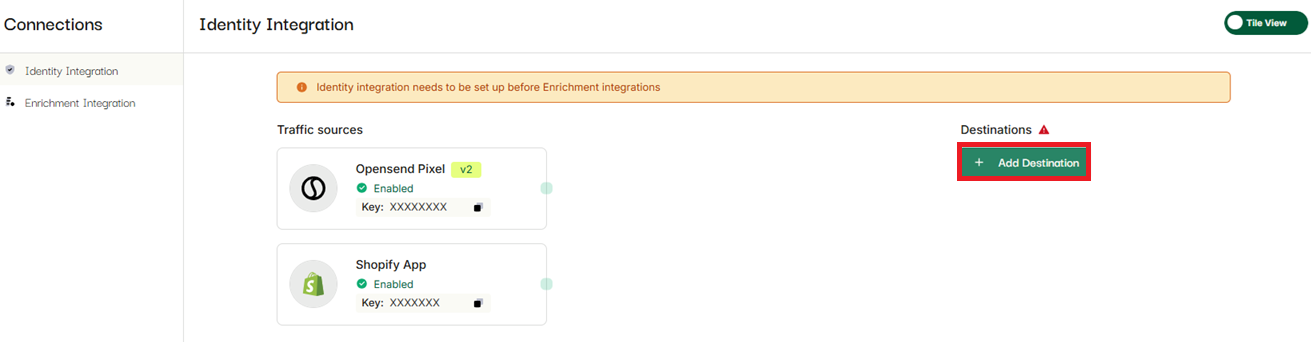
- Go to Integrations -> Connections -> Identity Integration
- "Click Add destination"
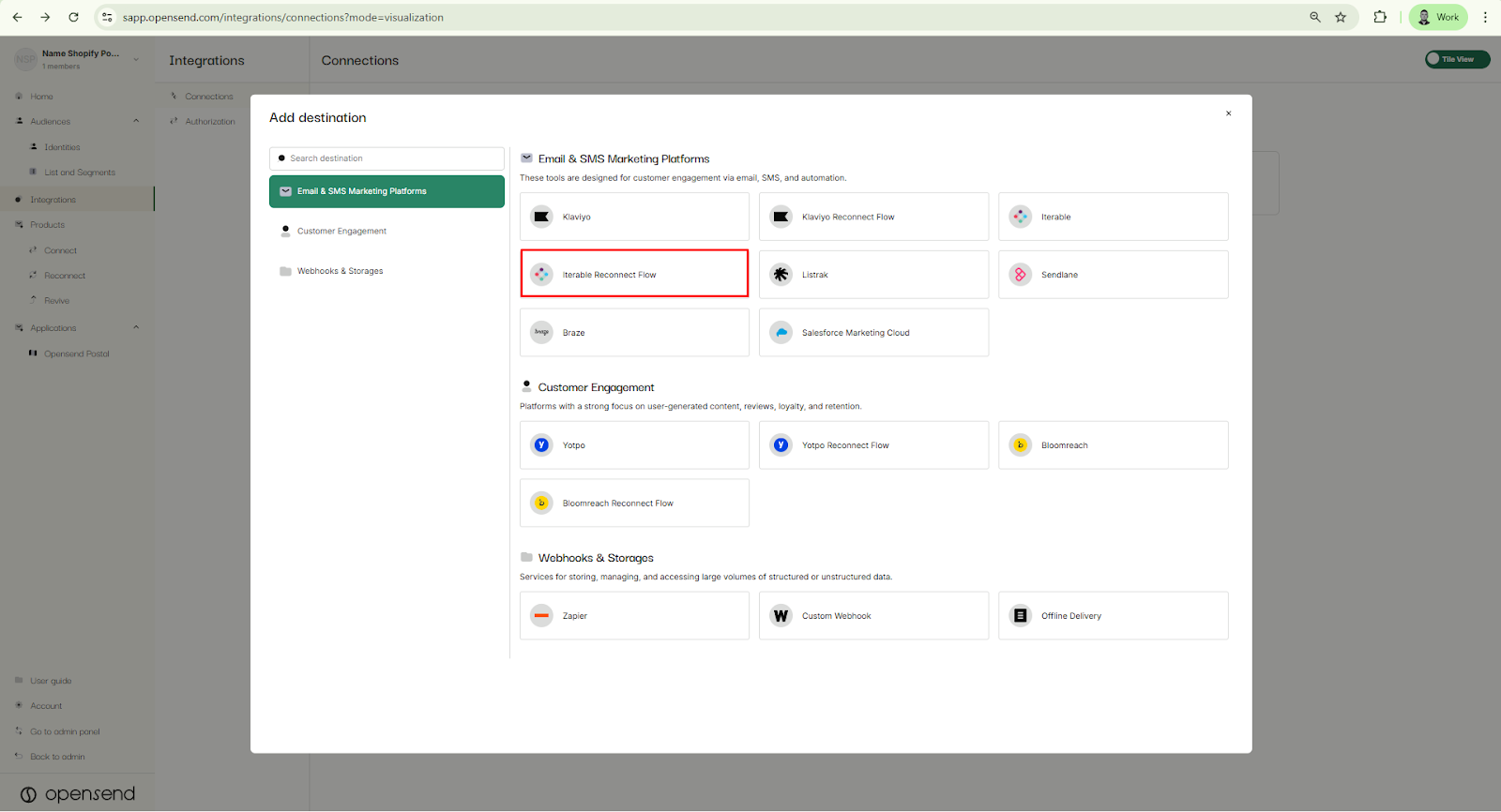
- Select Iterable Reconnect flow
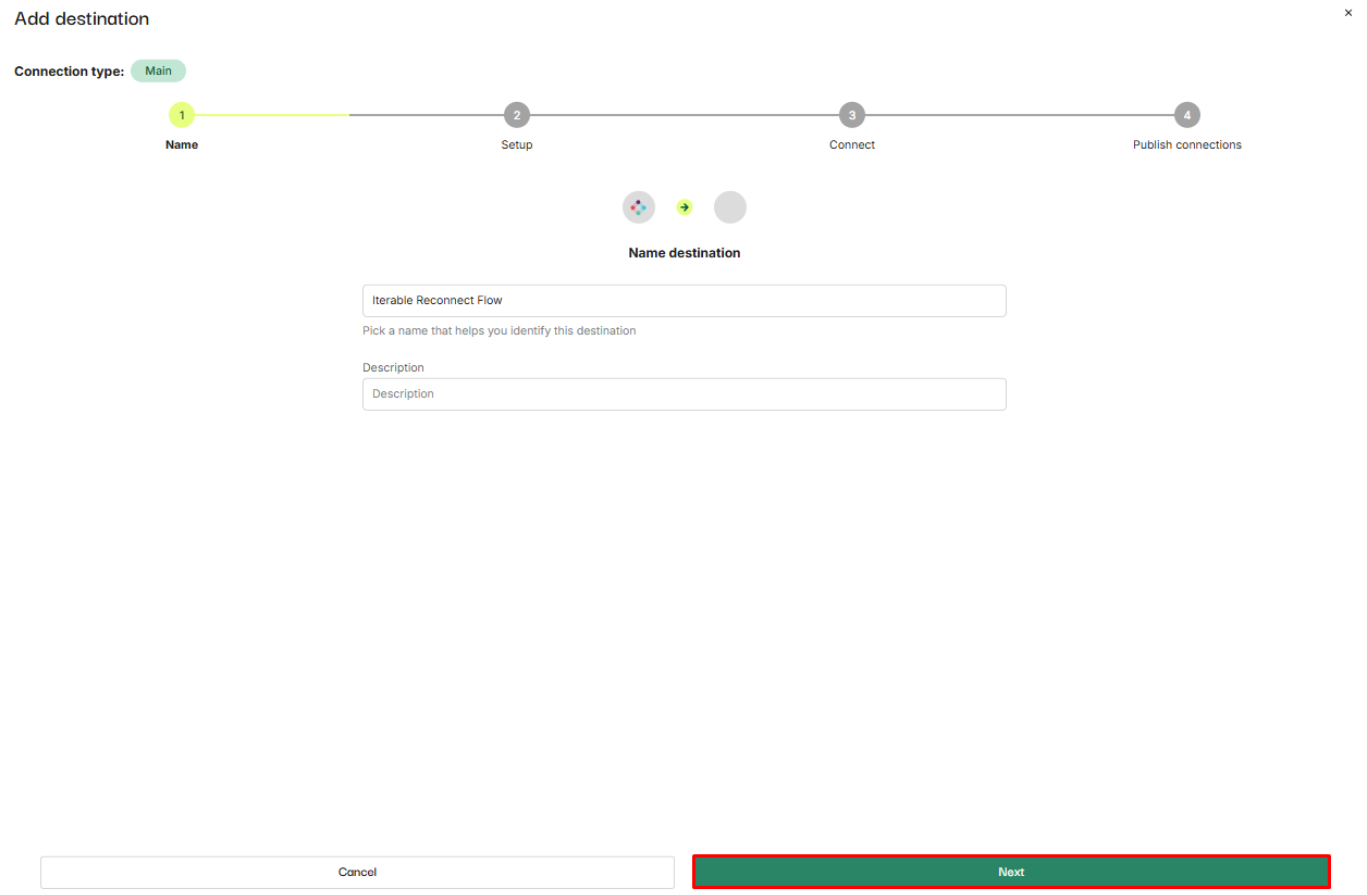
- Add name and description (optional) and click on the Next button
- Login to Iterable (You can skip this step if you are already using Iterable with Opensend Connect and copy the API key that you are using instead)
- Go to Integration/API keys
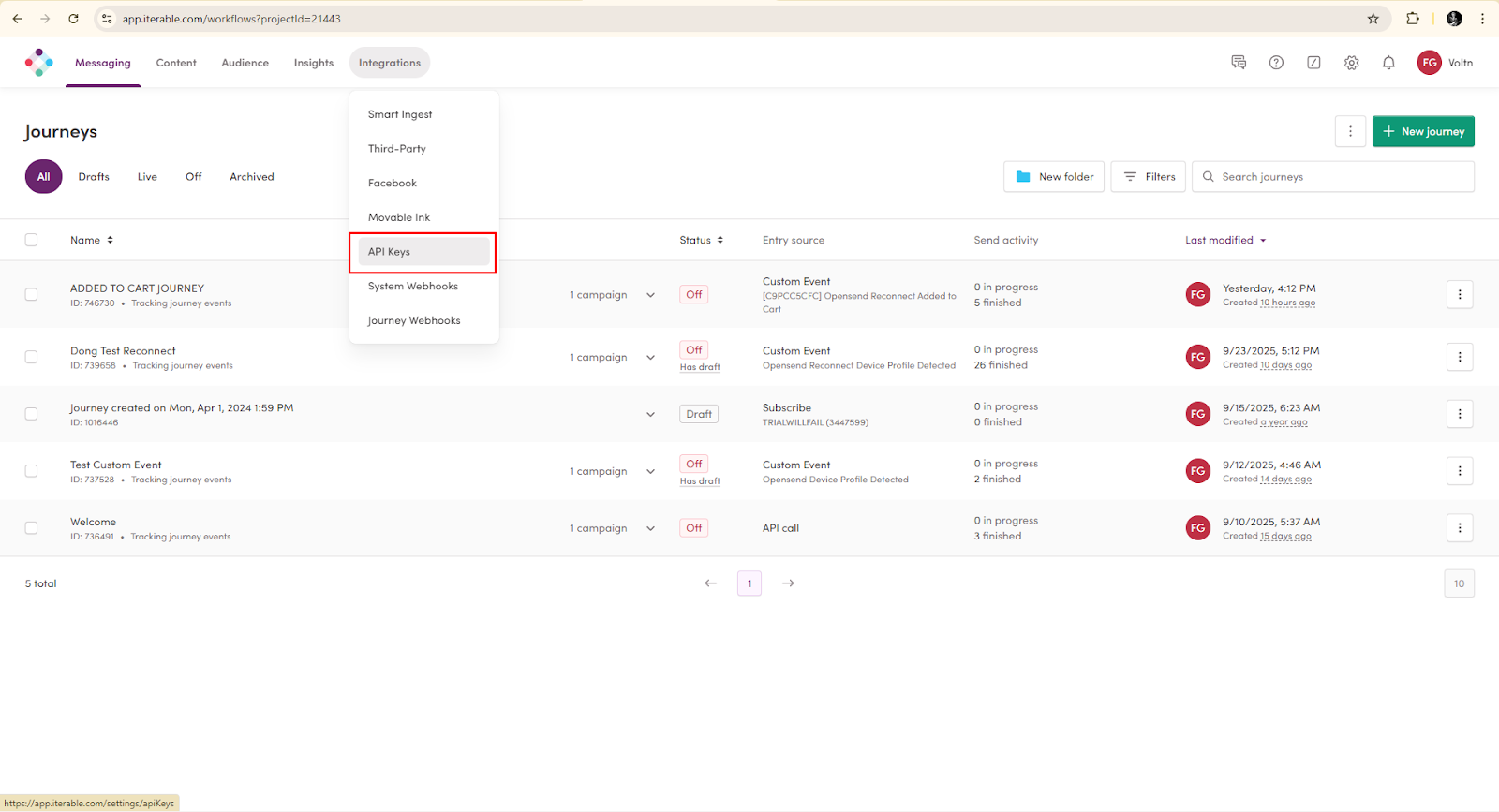
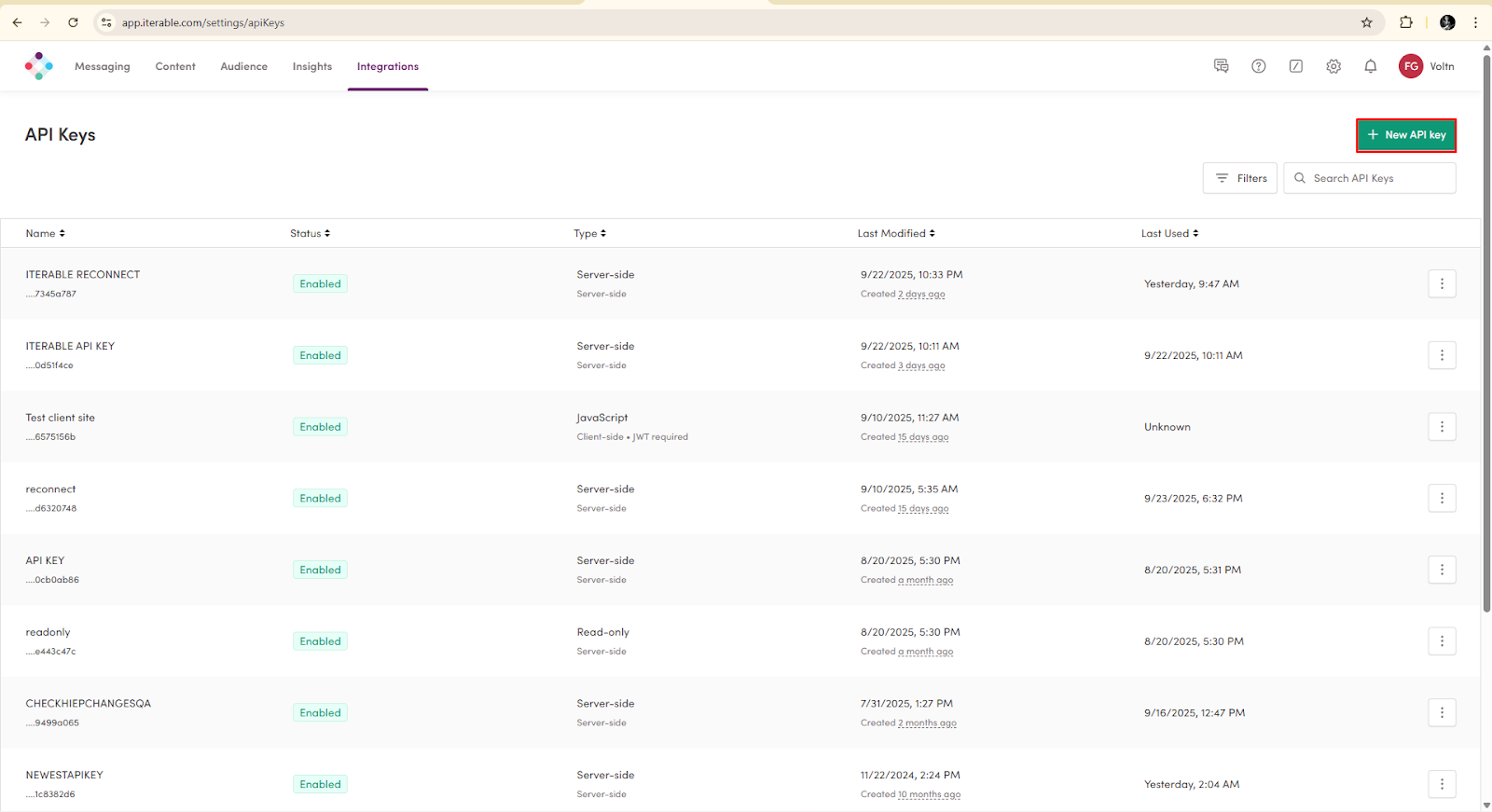
- Click on New API key button
- Name the key: Opensend Reconnect and make sure to choose Server side key.
Once done, click on the Create button.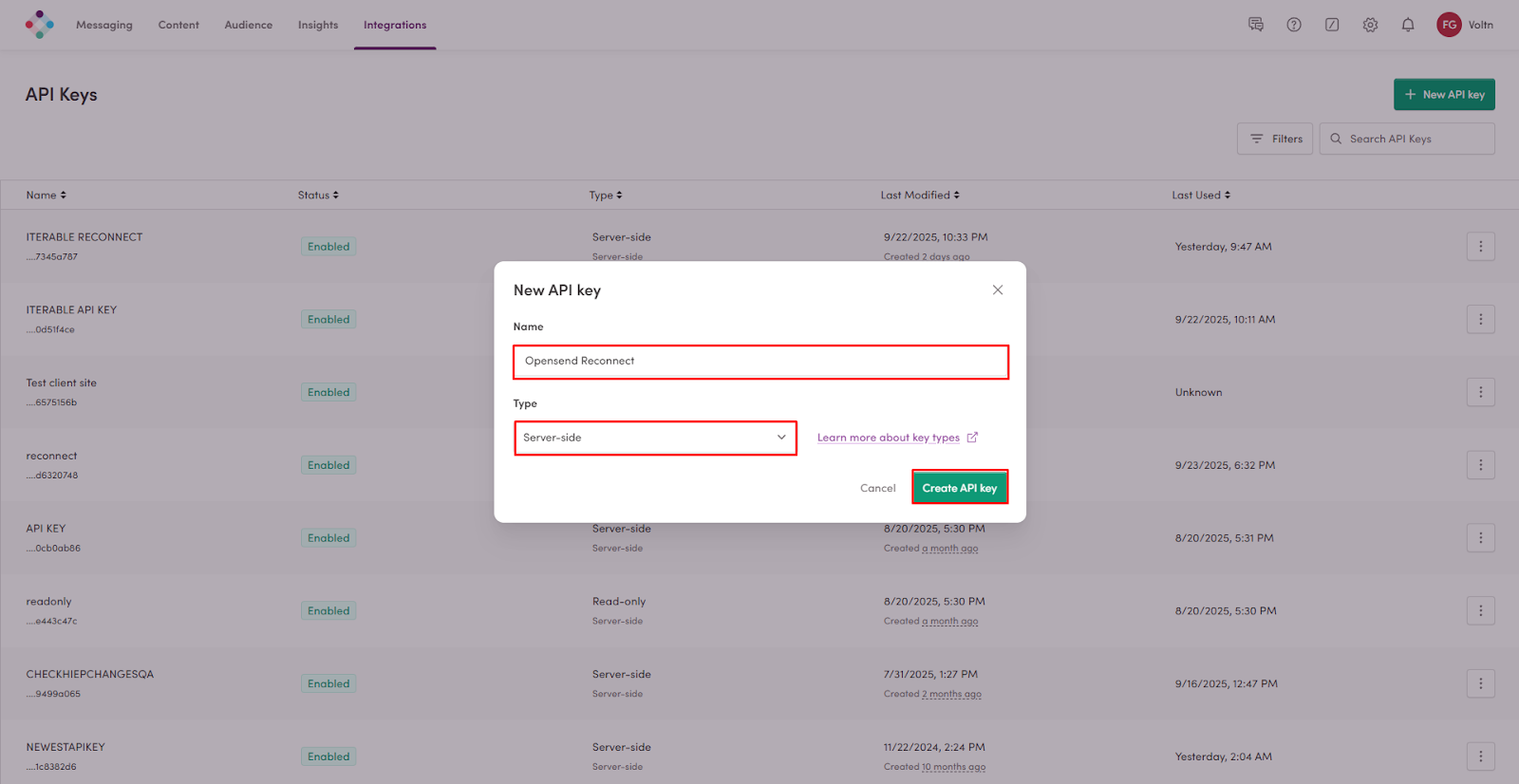
-
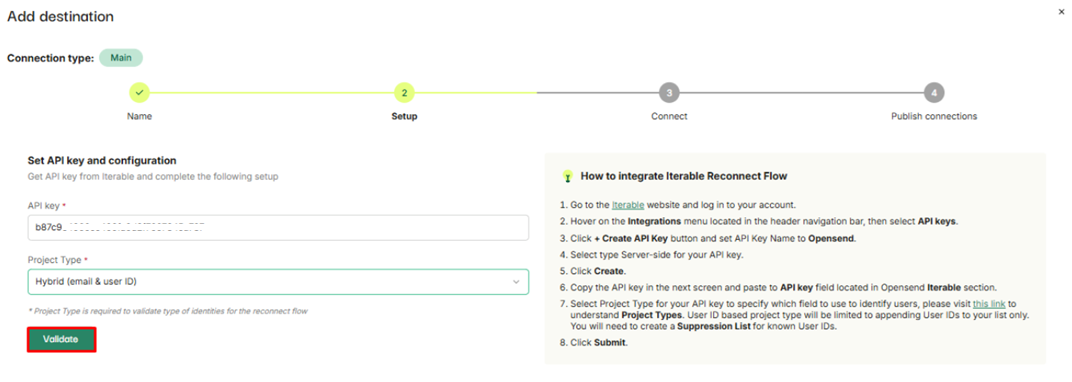
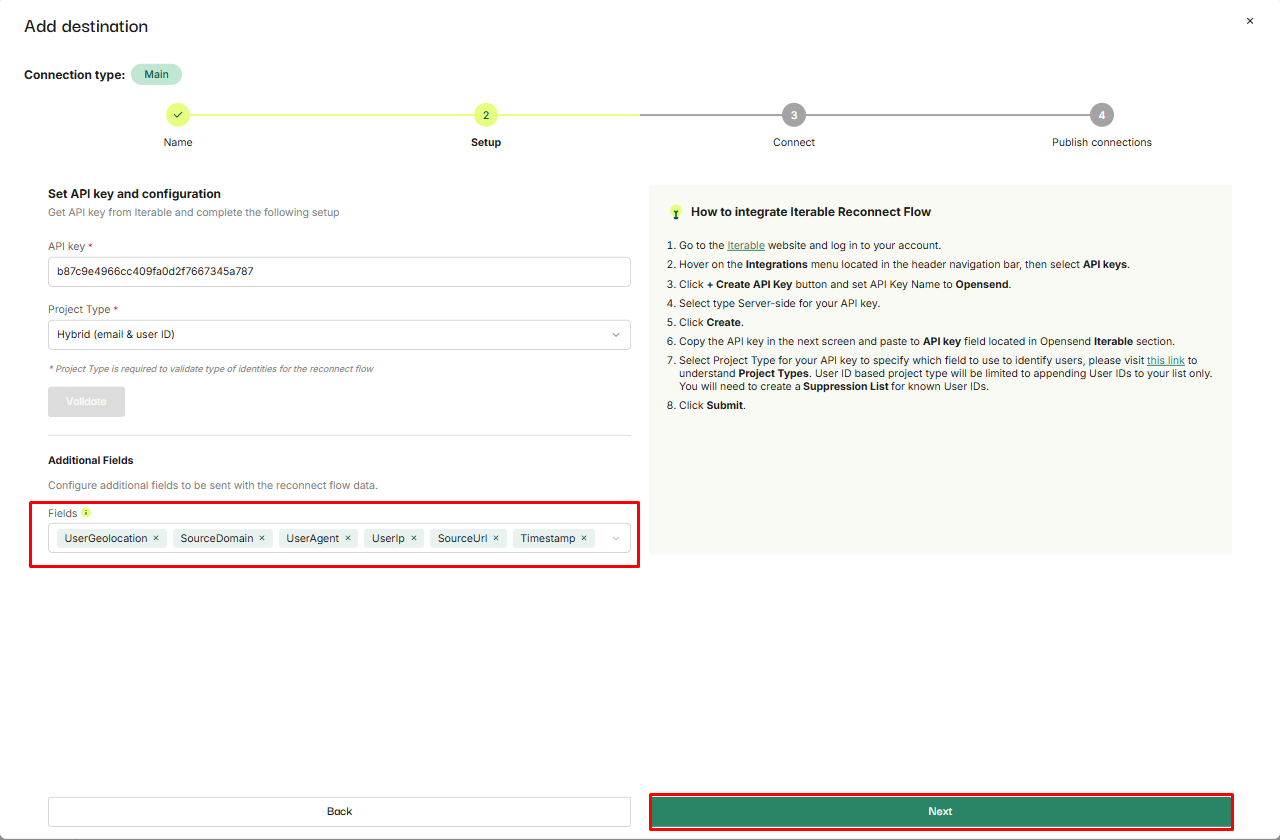
Go back to Opensend and paste API key into designated field
-
Choose your project type (You can find on Iterable in Project settings)
-
-
Once done, click on Validate button
-
Configure additional fields to be sent with the reconnect flow data and click on the Next button
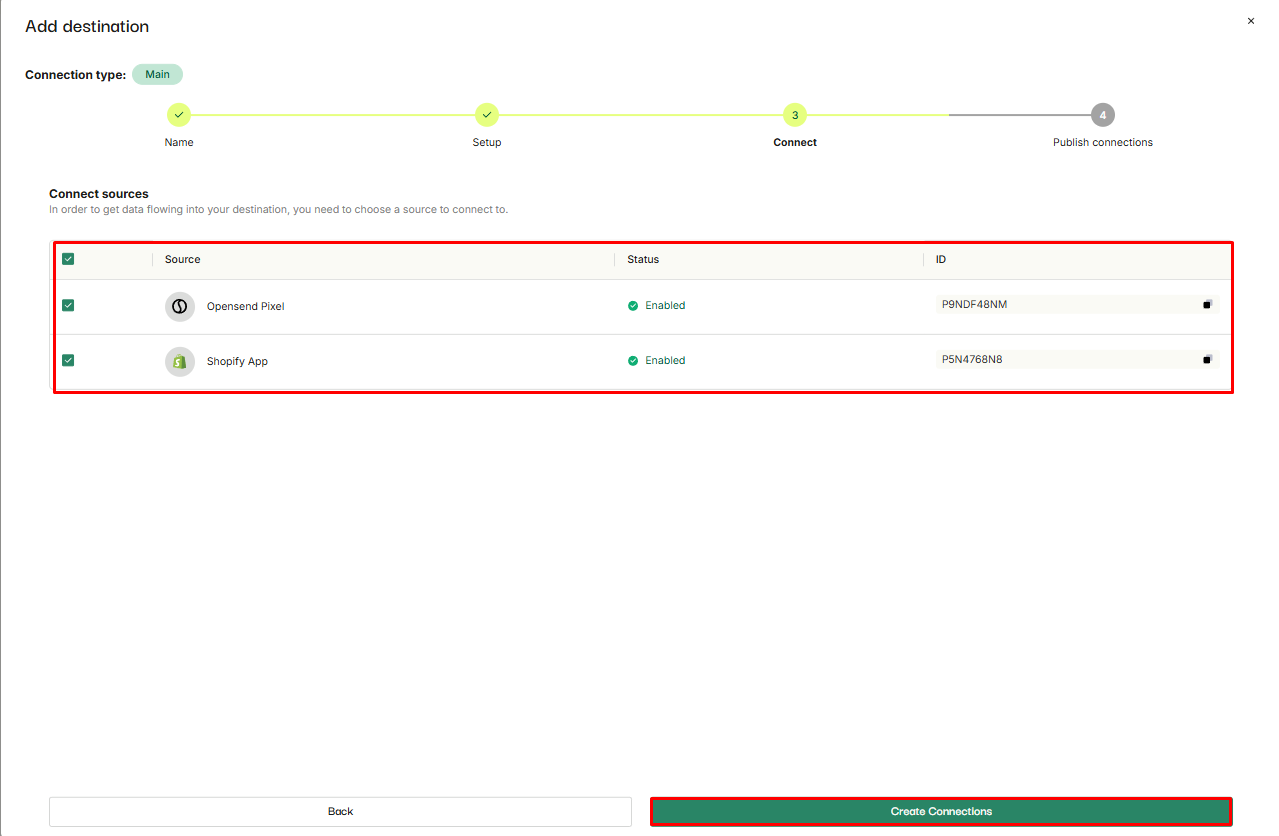
- Select traffic sources and click on Create connections button
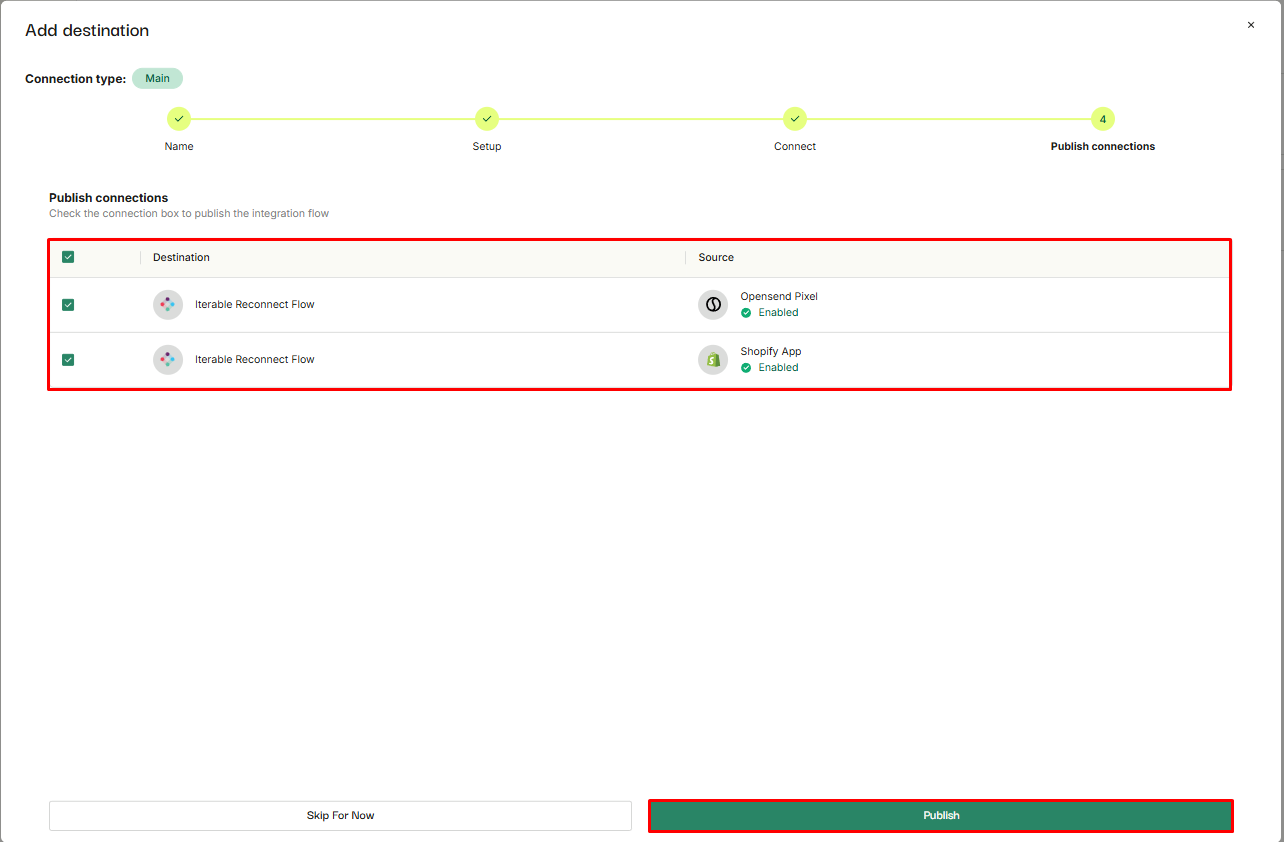
- Select connections and click on Publish button